Does Barnacles upload my code anywhere?
No. Barnacles runs entirely on your local machine and never uploads any code or data. Your projects, code, and metadata never leave your computer.
Make your life a little easier with Barnacles, a free open source desktop app that helps you manage your local development projects
Download currently available for macOS only
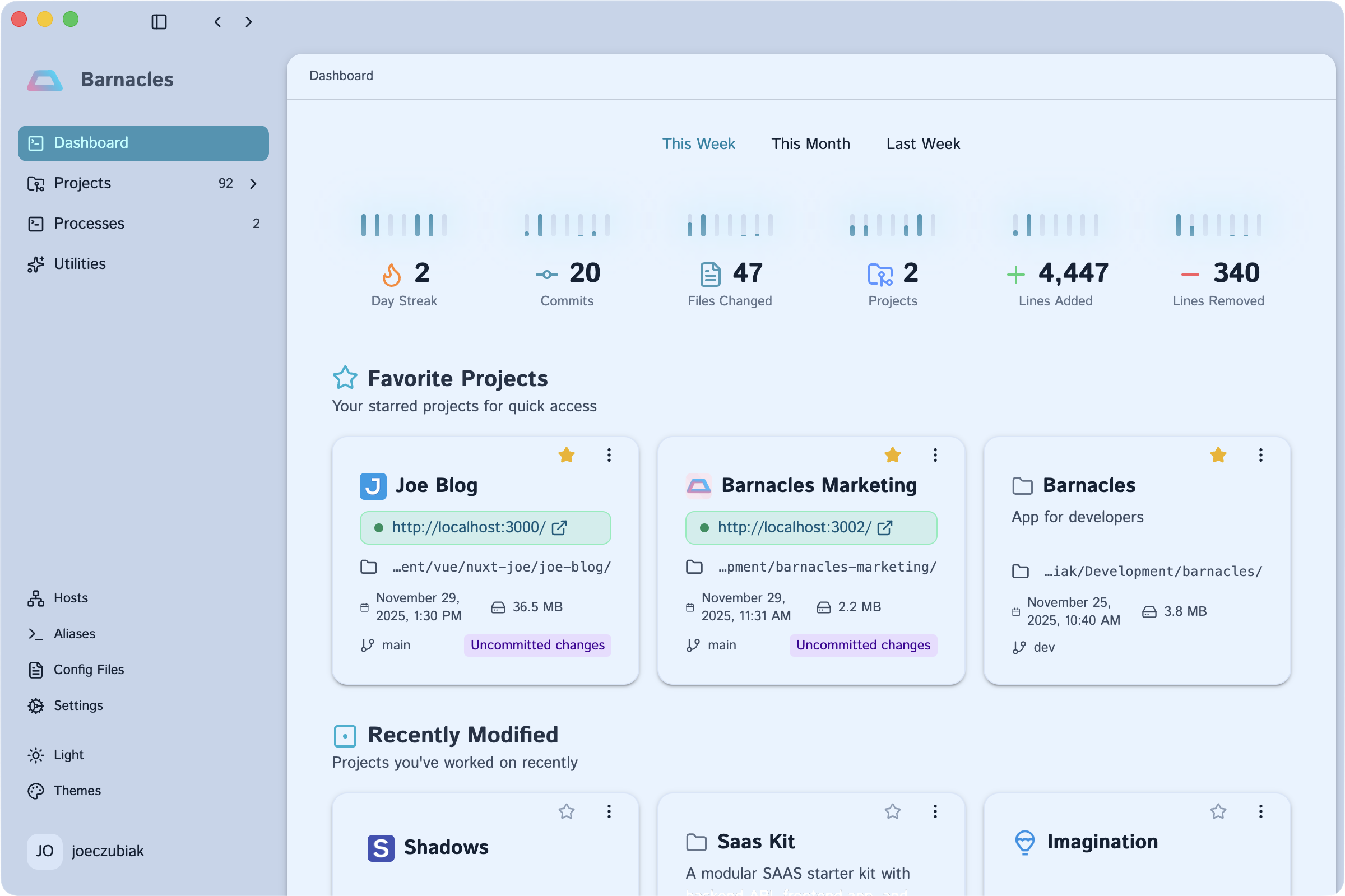
Stop searching. Start building. Barnacles brings order to your development workflow with instant project discovery, real-time insights, and one-click access to your tools.
Stop digging through nested folders. Barnacles automatically scans your file system and catalogs all your development projects in one searchable interface.
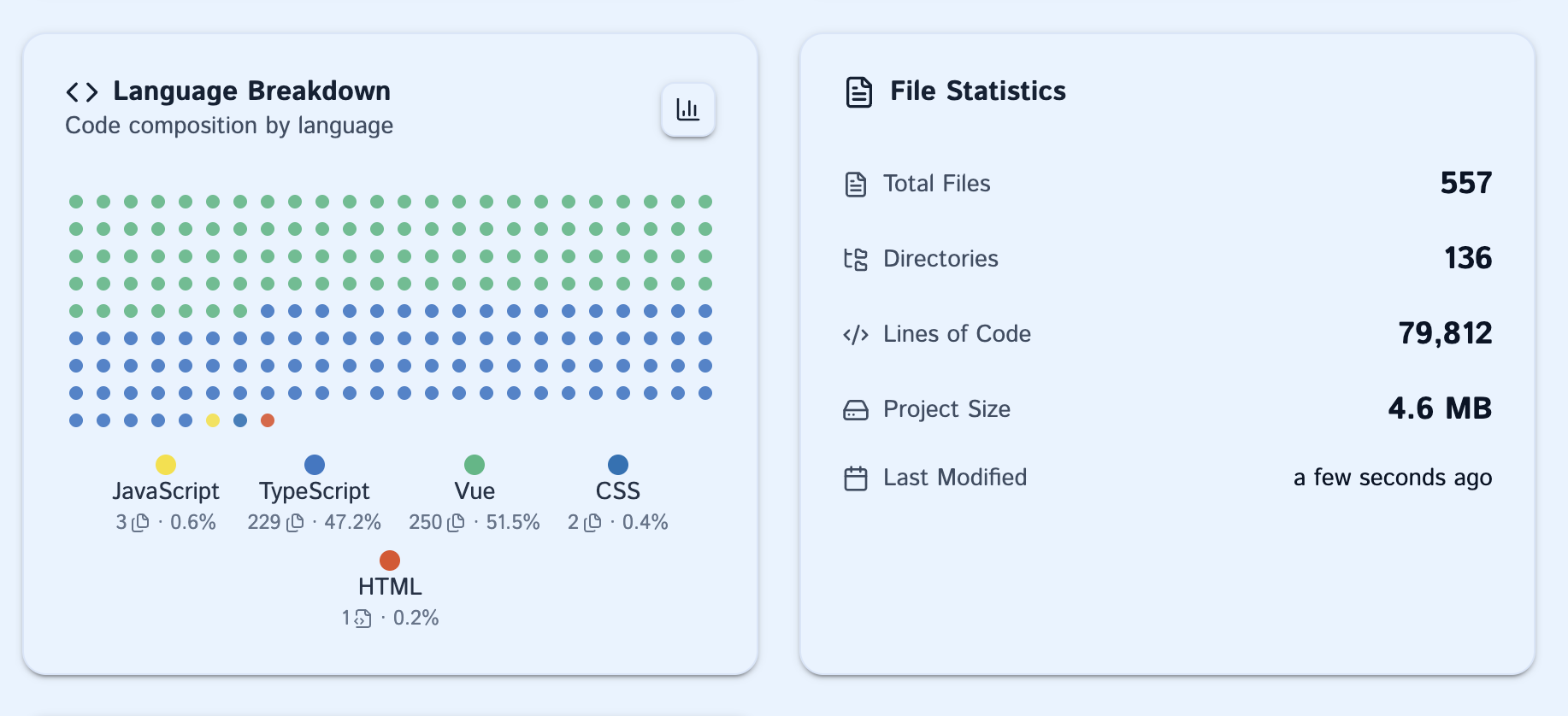
Get instant visibility into every project's status. See lines of code, language breakdown, Git branch information, and last modified dates—all without opening a single file.
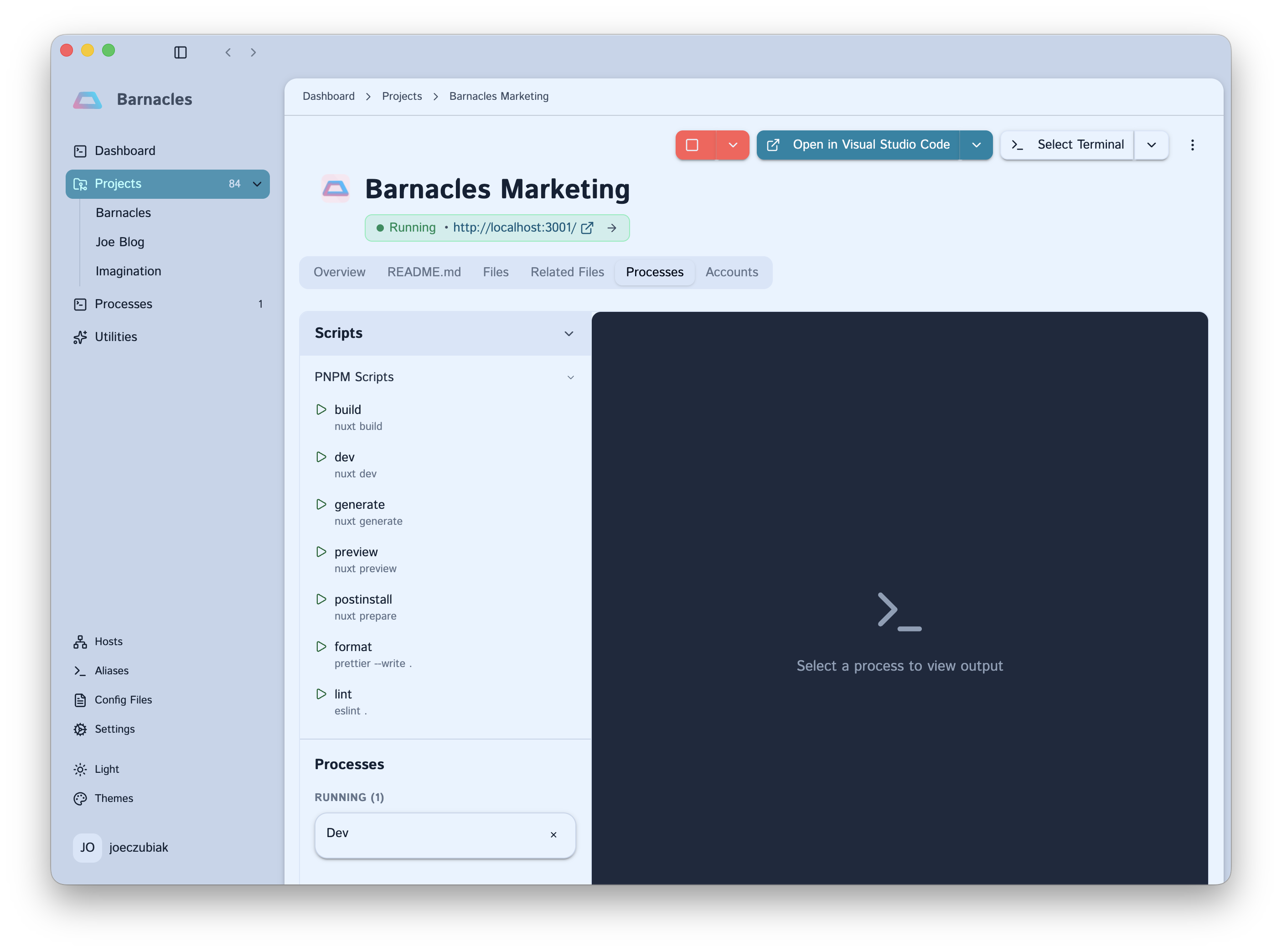
Stop the ceremony of navigating to folders and launching tools. Open projects in your IDE, start terminals in the right directory, or manage project processes—all with a single click.
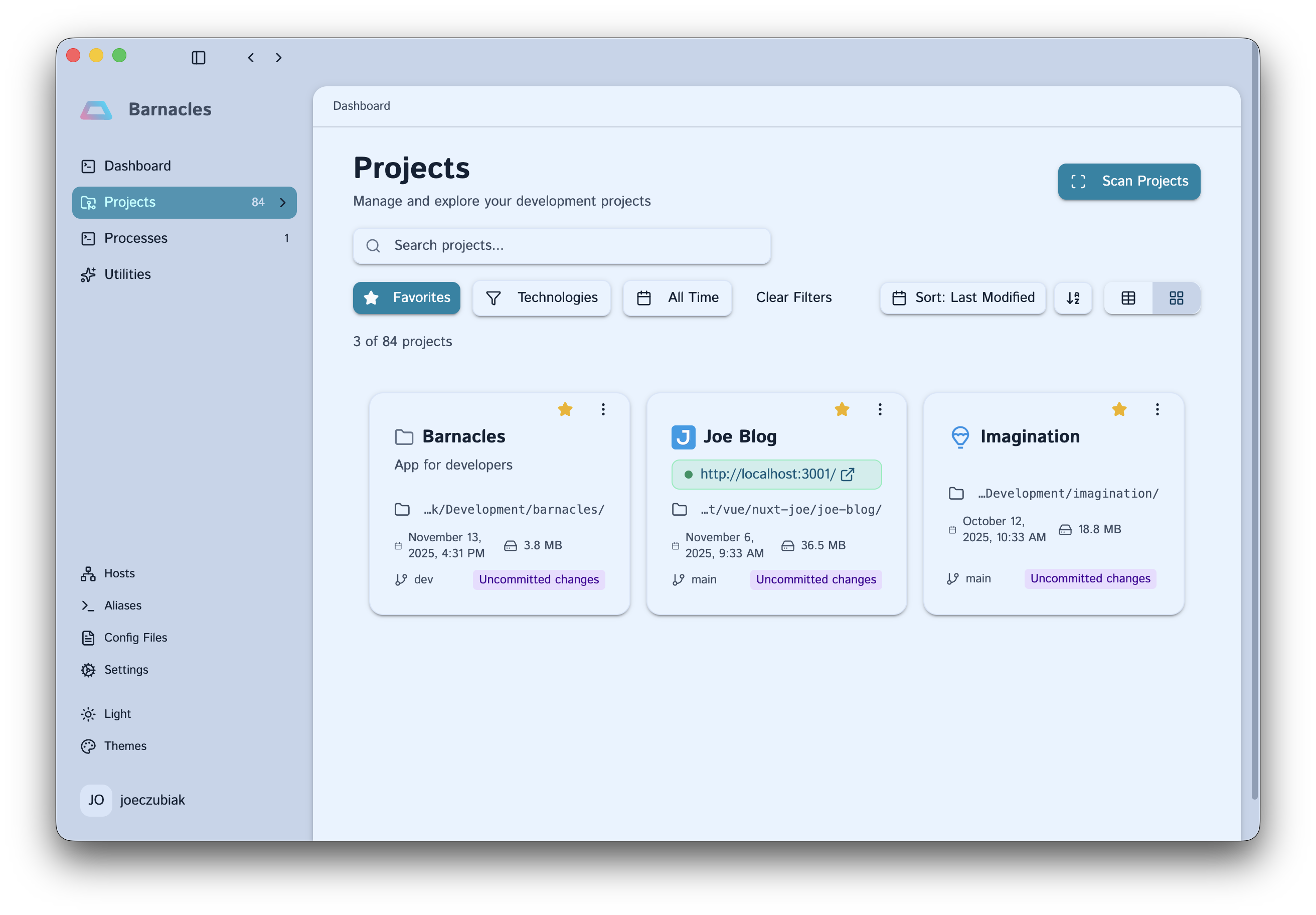
Working on React projects today? Python tomorrow? Filter your entire project catalog by technology, language, or framework. Sort by last modified to jump back into recent work.
Prefer the terminal? Barnacles includes a full-featured CLI that brings all the power of the GUI to your command line. Browse projects interactively and launch tools—all from your favorite terminal.
$ barnacles projects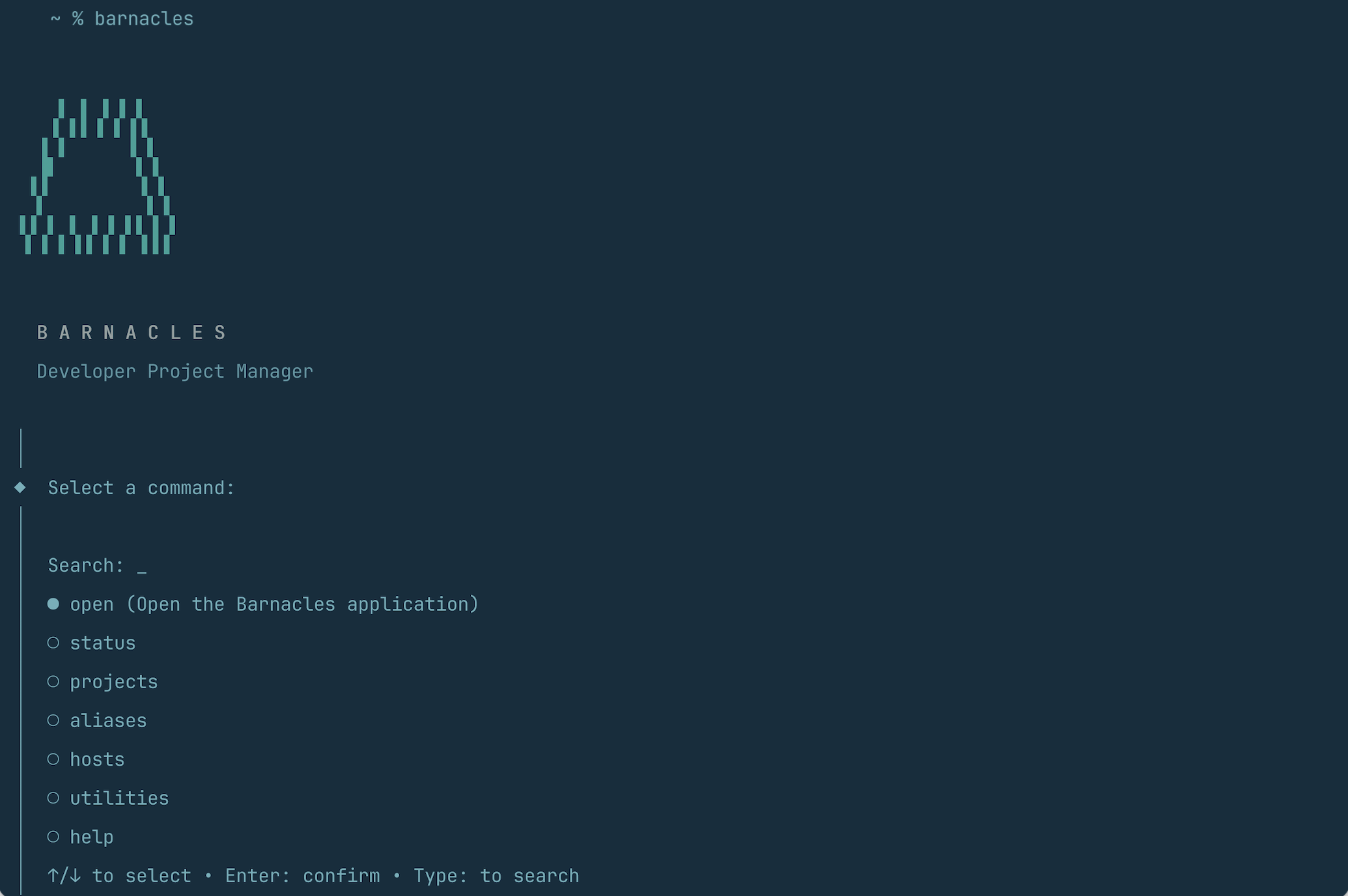
Barnacles runs entirely on your local machine. No cloud syncing, no data uploads, no tracking. Your projects, code, and metadata never leave your computer.
Your code stays yours. Always.
Got questions? We've got answers.
No. Barnacles runs entirely on your local machine and never uploads any code or data. Your projects, code, and metadata never leave your computer.
Barnacles automatically detects JavaScript/TypeScript, Python, PHP, Rust, Go, Java projects, and any Git repository. More languages coming soon.
No. Barnacles works completely offline. All data is stored locally in a SQLite database on your machine.
Yes! Barnacles includes a full-featured CLI alongside the desktop app. You can browse projects interactively, check status, and launch tools—all from your terminal.
Barnacles scans your chosen directories with read-only access. It's non-intrusive and doesn't modify your files. You can configure the scan depth and which directories to include.
All project metadata is stored in a local SQLite database on your machine. Nothing is uploaded anywhere. You have complete control over your data.
Download Barnacles and bring order to your development workflow.
Download currently available for macOS only
Free & Open Source • macOS Available Now • Windows & Linux Coming Soon